|
 |
|
|
| |
| You are here: Home » Products » PolyTrans|CAD+DCC » 3D File Formats |
|



Support: 905-672-9328 Copyright © 2024 Okino Toronto, Ontario, Canada.  |

Okino's primary daily business and focus is entirely to provide professional and conflict-free "conversion solutions" to our customers. As such, we do not sell our software based on "checkmark feature lists", as is common with consumer level software. As an R&D company, what we do is develop a large & deep "tool chest" of software functionality that we repurpose in the conversion solutions we sell to our customers. Nevertheless, for those wishing to get a sense of a "feature list", the following will provide a very basic overview of Okino software. In terms of an analogy to an automobile, Okino software is developed and sold entirely based on the complexity and fidelity of its car engine, and not whether it has a good car radio or a shiny paint job. For a visual overview, refer to the 8 page brochure.
- First and foremost, read over the "Top Reasons for Using PolyTrans" which covers key features that new users of Okino software should be actively aware of.
- PolyTrans was the first professional 3D program to provide trimmed NURBS & CAD, bi-dierctional animation conversion, bi-directional mesh skinning conversion and complete scene conversion in a single integrated software package. Creates "Render Ready" models. This feature list could stop here as this one paragraph basically defines our core business and sales.
- Well known for processing ulta-super-massive files quickly and efficiently, such as ProE-Creo/IGES/STEP/Parasolid files, DGN, DWF-3D, DXF/DWG files, among most other well known 3D CAD and non-CAD core file formats. Okino software has been designed since day 1 to handle the largest of large files and not bog down under normal circumstances -- that always differentiates our software from all others on the market.
- Excellent and complete support for the most popular 3D file formats. Extensive conversion options to choose from. A few examples: 1, 2, 3, 4, 5, 6, 7, 8, 9, 10, 11.
- Specialized and popular versions of PolyTrans: PolyTrans-for-3ds-Max, PolyTrans-for-Maya and PolyTrans-for-Cinema-4D. Provides extensive data conversion capabilities where little or none existed before.
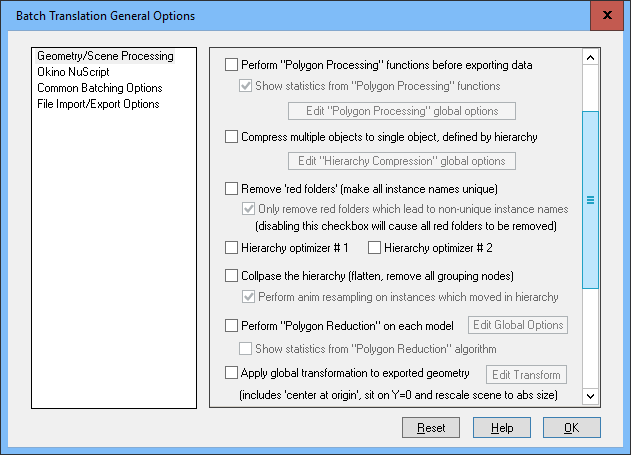
- One of the most critical and unique features of Okino software is its 'hierarchy & object count optimization system'. This is the "black magic" which allows Okino software to act as a 'stepping stone' to import very large & complex CAD files, then to whittle them down to a form that most lesser destination programs can handle. All Okino CAD importers have this optimization system enabled by default, as well as other "verbose" import formats such as DWF-3D and VRML2. The primary interface dialog boxes can be viewed here and here.
- A built in polygon reduction system based on a system written internally at Okino. Uses technology to allow good reduction in areas of high curvature, material changes and color changes.
- A variety of export options allow the converters to automatically triangulate the output data, cut holes out of meshes (when necessary), merge triangles back to n-sided polygons, and tear apart the input data according to material assignment or grouping. In addition, the converters always output optimized polygon meshes wherever possible, regardless of the form or structure of the input polygon data (arbitrary polygon input data is always welded, optimized and any redundant polygon coordinates removed before being output). In general the converters can convert any form of input to any form of output.
- Industry leading animation conversion "engine" allows native import, playback and export of keyframe data. Simulates the animation mathematics all the most popular 3D animation systems which leads to tolerance-based accurate conversions. Includes keyframe resamplers & reducers. A unique & industry leading major feature.
- Includes fast, photo-realistic rendering capabilities (resolution limited), borrowed from Okino's elder brother NuGraf software (PolyTrans is equivalent to the 'beginner mode' of the NuGraf software).
- Robust polygon processing tools: weld, auto-unify normals, auto-smoothing, remove redundant normals & texture coordinates, subdivision surfaces (Catmull-Clark, Loop, Butterfly and Kobbelt), merge triangles to quads, among other functionality.
- PolyTrans "goes the extra mile" by handling and overcoming many tough translation problems. As an engineering R&D company, our daily customer discussions focus on resolving their difficult conversion problems using our 100+ man-years of Okino developed technology. These include:
- Auto-splitting an object into multiple pieces if it exceeds the polygon/vertex limit of a specific export file format.
- Auto-translating bitmap formats, including resizing to different X & Y resolutions, bit depths and file formats.
- Handling the hardest polygon triangulation problems. The custom triangulator used in PolyTrans can handle n-sided concave polygons with recursive holes, overlapping contours and "simple" polygons.
- Complete replication of the object hierarchy. Such hierarchy can be viewed and easily modified using PolyTrans' Selector Window.
- Translates and accurately maps all materials and texture maps so that they can be rendered faithfully in the target rendering program.
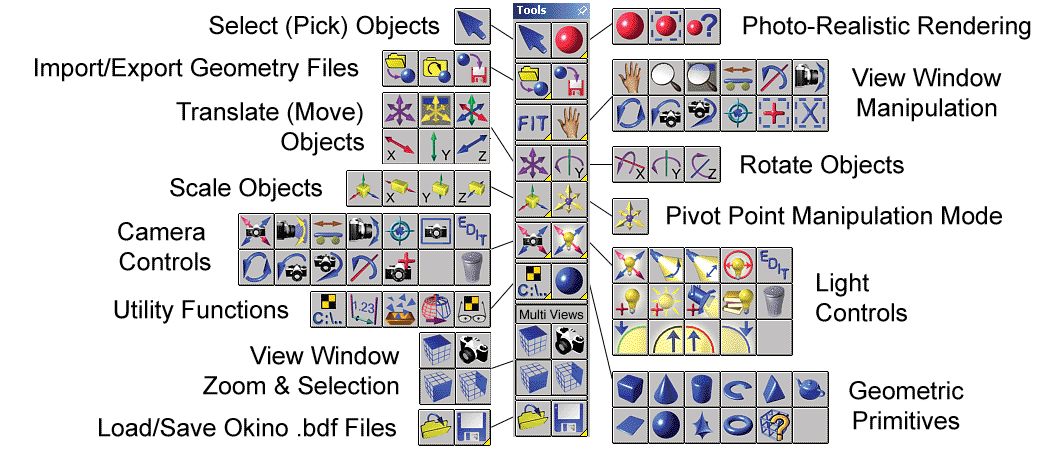
- Import objects and compose 3D scenes quickly using the real-time object manipulation functions. Interactive graphical user interface for Microsoft Windows version with shaded views. Toolbar functions for manipulating objects, lights and cameras. Always responsive and fast.
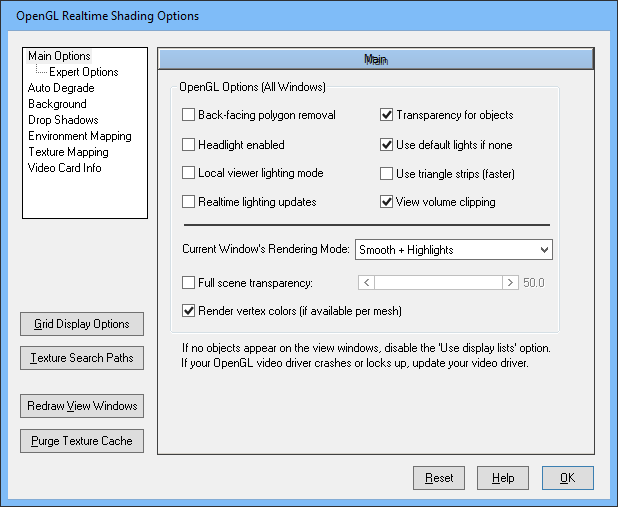
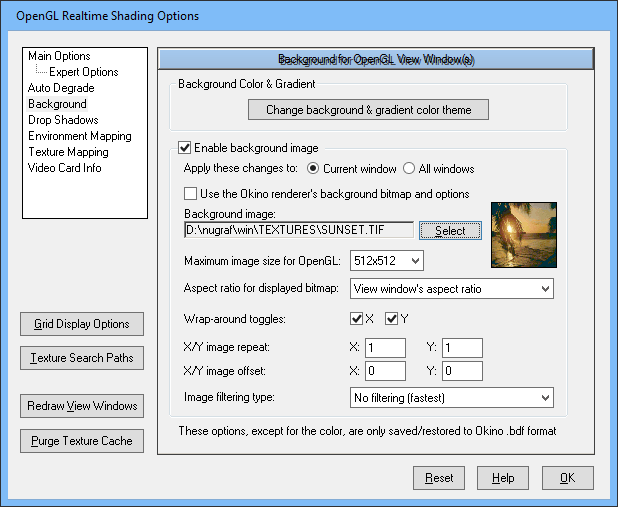
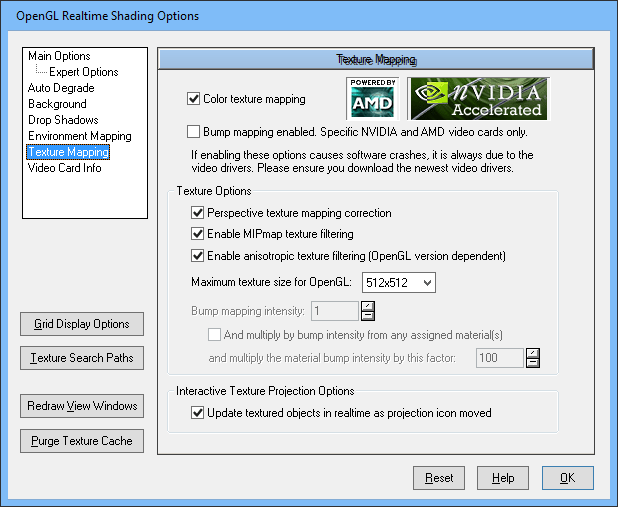
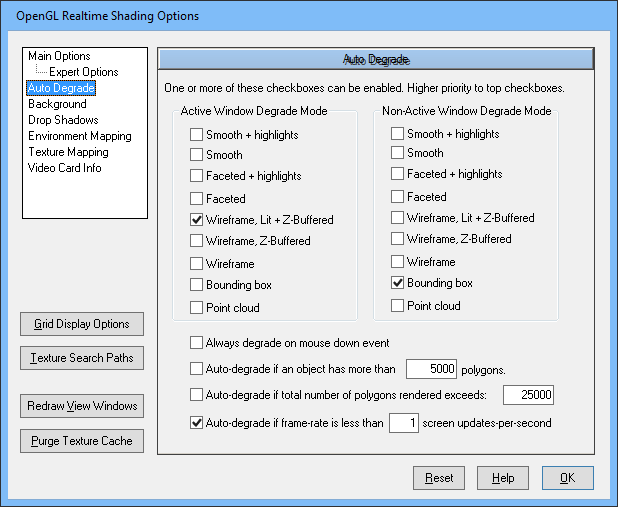
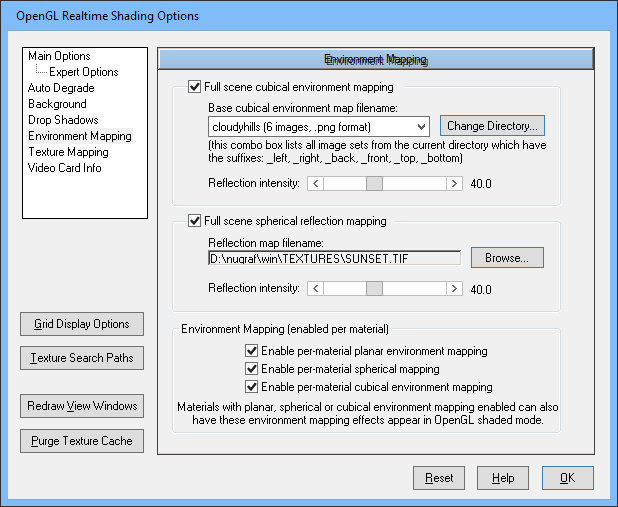
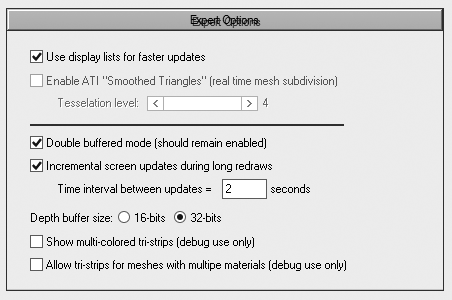
- Realtime OpenGL 3D view windows, including NVIDIA & AMD pixel shaders, texture caches, transparency, gradated color backgrounds, real-time cubical & spherical mapping, bump mapping, and more. View the options online: 1, 2, 3, 4, 5, 6
- Mesh skinning & skeleton bi-directional conversions between 3ds Max, Maya, Cinema-4D, Collada, FBX, U3D and DirectX.
- Realtime object collision detection & sliding.
- JScript & VBScript scripting for import/export convertions.
- Allows all meshes, trimmed NURBS, vertex attributes, materials, shading parameters, texture map types, lights, cameras, hierarchy and animation to be imported, stored, translated and exported with high accuracy and fidelity.
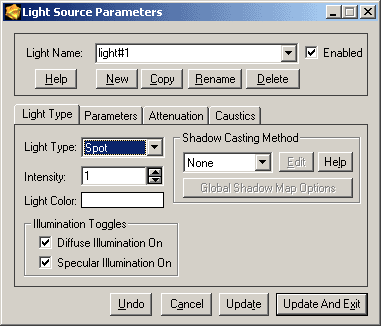
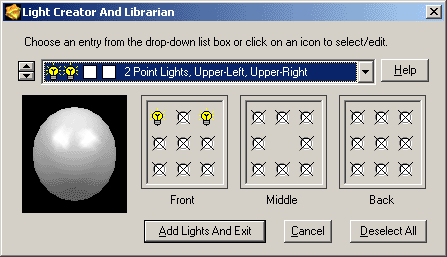
- Interactive light & camera placement plus interactive or numeric value modification. Also includes a light librarian for simple setup of pre-defined light sources.
- OpenGL shaded views, with real-time lighting & object texture mapping, real-time interactive object manipulation, texture backgrounds and multi-threaded redraws.
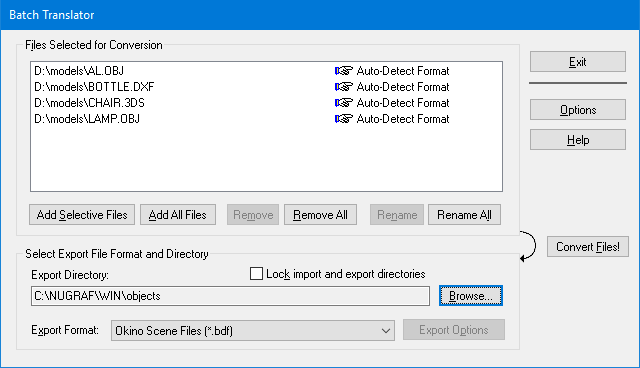
- Import multiple files at the same time with auto-format detection.
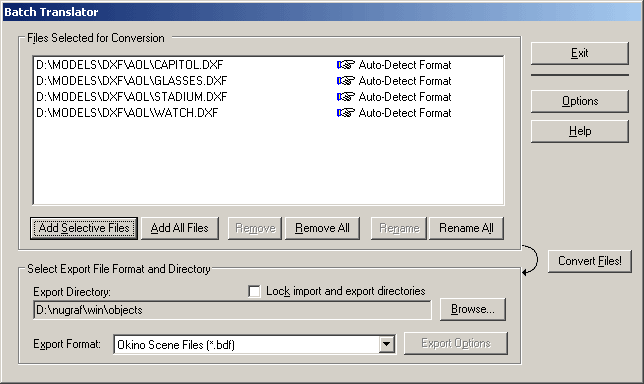
- Intuitive 3d geometry batch translation capabilities with options to perform a wide array of polygon processing functions prior to export.
- Intuitive bitmap image batch translation capabilities (handles BMP, CEL, DDS, IFF, JPEG, GIF, PIX, PNG, PPM, PSD, SGI RGB, Softimage PIC, Targa, TIFF and others).
- Easy access to all scene contents via hierarchical 'Selector Window' for selecting, adding, deleting or renaming objects/lights/cameras/etc. Use drag-and-drop to change or create object hierarchies.
- Automatic 2D bitmap conversion between formats supported by each 3D file format. Some of these supported bitmap formats include: Alias IFF & PIX, Amiga/Lightwave IFF, Autodesk CEL & FLIC, BMP, GIF, DDS, Electric Image IMG, JPEG, PhotoShop PSD, PNG, PPM, Softimage PIC, SGI RGB, Targa and TIFF. The Windows clipboard is also supported for exporting. In most cases these drivers will support B&W, 8-bit colormapped, 24-bit RGB and 32-bit RGBA formats.
- Export scenes to Okino's NuGraf program for fast, photo-realistic scanline or multi-threaded ray trace renderings, animation and material/texture editing. Upgrade from PolyTrans to NuGraf at a low cost. PolyTrans is a subset of the NuGraf software.
- A large and established professional user base that has ensured PolyTrans remains a dependable, robust and full featured translation system.
- And above all else, our best customers know from first hand experience that the developers of PolyTrans really care about this product and put their personal pride into its long term development. We are online almost all hours of a 7 day work week and are very friendly + expert-knowledgeable in the topics of 3D graphics and professional 3D data translation.