Advanced 3D Data Translation, Model Optimization & Scene Composition Software for Microsoft Windows
Includes all the functionality of PolyTrans inside NuGraf (PolyTrans is a subset of NuGraf).
I want to convert from
to
I want to learn how to convert
Overview of Okino's NuGraf Software
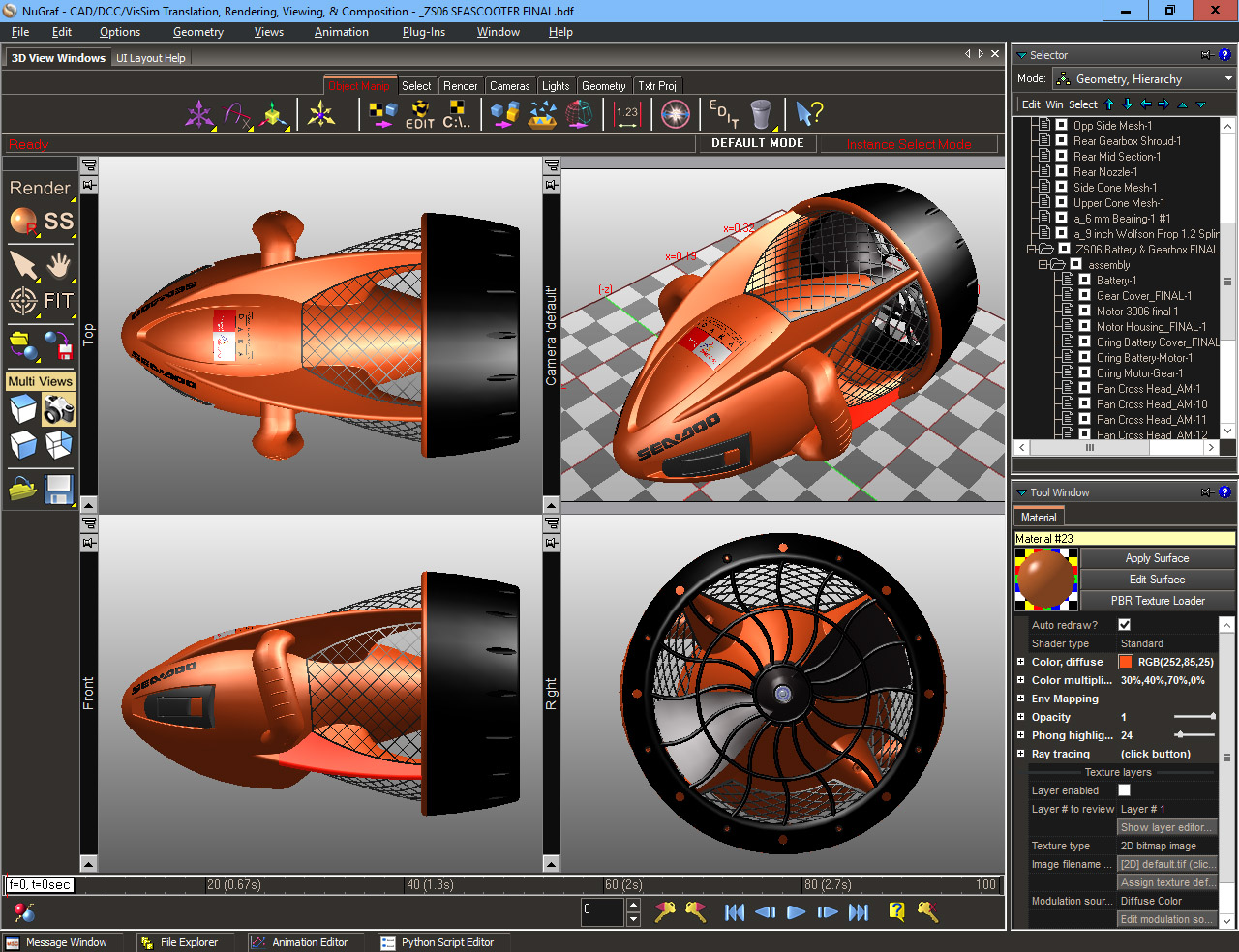
NuGraf is a fast, powerful and comprehensive 3D CAD/DCC/VR data translation,
optimization, and scene composition program for Microsoft Windows. It is used
throughout the world by every top named company in mission and production critical environments.
Key features include industry standard geometry import
and export converters (with full texture mapping and shading
support), realtime scene manipulation functions, a
seamless user interface and high quality, fast "photo-realistic" rendering
tools.
Whether your task requires the import/processing/optimization/conversion of
complex CAD files, or the sophisticated visualization of a
large polygon engineering model, NuGraf provides all the flexibility, power
and tools required to accomplish any task, simplistic or otherwise.
For over 3 decades, NuGraf has pioneered and been unique in its ability to import/export, render/view
and heavily optimize 3D data from literally all 3D file formats and CAD+DCC+Animation systems, ranging
from Maya/3dsMax/LightWave/CINEMA-4D to ProE/Creo, SolidWorks, Autodesk Inventor/Revit/Navisworks and dozens more.
Please note that NuGraf contains all the functionality of Okino's popular PolyTrans program plus much more.
The Okino User Base
Okino's PolyTrans and NuGraf software have a very extensive, world-wide user base. If you have never heard of Okino, or used our software, then you may ask: what has made Okino software so popular over the years? We feel it comes down to any number of factors:
We personally guarantee the robustness our conversion software. That's simply something you never hear these days. How can we do this? Because our software simply works. Statistics apply to the robustness of Okino software: it is in use by so many people, for so long, that each year the odds of errors occuring in specific modules reduces down to zero. Even if errors are encountered, we will often have them fixed and returned to customers within a day or less on average.
We have sold our software to so many companies that we have become knowlegable in all of the most common answers and problems dealing with 3D data translation. Our customers can 'tap' our knowledgebase simply by sending a quick email to support@okino.com at any time.
We provide quick support for our software direct from the main management team and senior developers, and not from online forums or untrained front-line tech support people. You will always get a very informed answer on your first or second email to Okino.
We typically allocate (at least) several years to the development, evolution and refinement of each converter until they closely
mimic the source/destination 3D program. Most of our converters have been in continual development and refinement for many decades. Special conversion pipelines
such as PolyTrans-for-Cinema-4D, PolyTrans-for-3dsMax,
PolyTrans-for-Maya and DWF-3D (among others) have had
dedicated developers working on them every day for the last decade.
We provide free support and a very liberal upgrade/maintenance policy. Most of the software industry provides 30 days free support and upgrades, then expensive maintenaince plans or per-minute phone support -- not at Okino.
We are well known for dealing one-on-one with each and every customer. We don't walk out the door at 5pm. A day does not go by when our customers
are surprised to get instant responses from us no matter what time zone they are in. Whether
you are in the USA, Germany, Austria, Sweden, Australia or Japan, you'll get real time responses from the same people at Okino (upwards of 16 to 18 hours each day).
Top Reasons for Purchasing NuGraf:
Does not bottleneck: Import huge files, setup lights, cameras, apply materials & render or re-export
in severals minutes.
Excellent and complete support for the most popular 3D file
formats as demanded by thousands of our customers
A complete solution: renderer, converters, optimization tools, polygon reduction, hierarchy + parts count reducer (critical for CAD conversions), GUI, extensive help
Batch conversion of 3D file formats as well as all supported 2D bitmap file formats
Our programmers work (iterally) around the clock to provide excellent technical support for NuGraf
Happy and satisfied 3D professional customers. Recognized as being simple for beginners, deep for experts
NuGraf can process, render and re-export huge files quickly and with minimal memory usage.
Handles all forms of geometry, including NURBS surfaces, NURBS + bicubic curves, and meshes
All the functionality, power and "top 12 reasons" of Okino's PolyTrans program
NuGraf is recognized as having one of the most memory efficient photo-realistic rendering engines
Certain names, logos, designs, titles, words or phrases on any page
accessible through this WEB server may
constitute trademarks, servicemarks, or tradenames of Okino Computer Graphics,
Inc. or other entities which may be registered in certain jurisdictions.
Please activate this link to view a list of trademarks, servicemarks,
attributions and other legal information. NuGraf ® and PolyTrans ® are registered
trademarks of Okino Computer Graphics, Inc.







![[NuGraf Logo]](/conv/new_titles/nugraf_homepage.gif)
 Overview of Okino's NuGraf Software
NuGraf is a fast, powerful and comprehensive 3D CAD/DCC/VR data translation, optimization, and scene composition program for Microsoft Windows. It is used throughout the world by every top named company in mission and production critical environments.