

 |
 |
|
|
| |
| You are here: Home » Import CAD Formats » SolidWorks |
|



Support: 905-672-9328 Copyright © 2026 Okino Toronto, Ontario, Canada. |

|
 How to Import and Convert SOLIDWORKS CAD Files How to Import and Convert SOLIDWORKS CAD Files |
Okino's PolyTrans|CAD software imports crack-free geometry (assembly data), hierarchy and materials from native disk-based SOLIDWORKS (Solid Works, Solid-Works) files or from a running copy of SOLIDWORKS. It then subsequently optimizes and converts the data intelligently into all major 3D file formats, animation packages, military VisSim, virtual reality (VR) and augmented reality (AR) systems (such as Unity and Unreal Engine), and third party/OEM integrations. A subset of secondary functionality also provides for high-end rendering, viewing and scene composition of the SOLIDWORKS data. Further post processing can be done with Okino's model/node compression and polygon reduction systems for downstream virtual and augmented reality HMDs (such as Microsoft HoloLens, Oculus Rift, HTC VIVE, Meta and other forthcoming headsets).
Most importantly, SOLIDWORKS assemblies, parts and presentations can be effortlessly and directly imported into such popular & common programs as 3ds Max, Cinema-4D (C4D), LightWave and Maya as well as any third party product which integrates Okino's PolyTrans 3D converters, and all major downstream file formats ranging from AutoCAD, COLLADA, DWF-3D, FBX (for Unity, Unreal and MODO), NGRAIN 3KO to Acrobat-3D (PDF via U3D), OpenFlight, SketchUp and dozens more.
The SOLIDWORKS CAD conversion pipeline is our most demanded and purchased CAD solution sold each day ever since SOLIDWORKS came to market in the 90's. As such, it is the most refined, robust and well developed method on the market to move 3D asset data out of SOLIDWORKS and into all major downstream file formats and application packages.
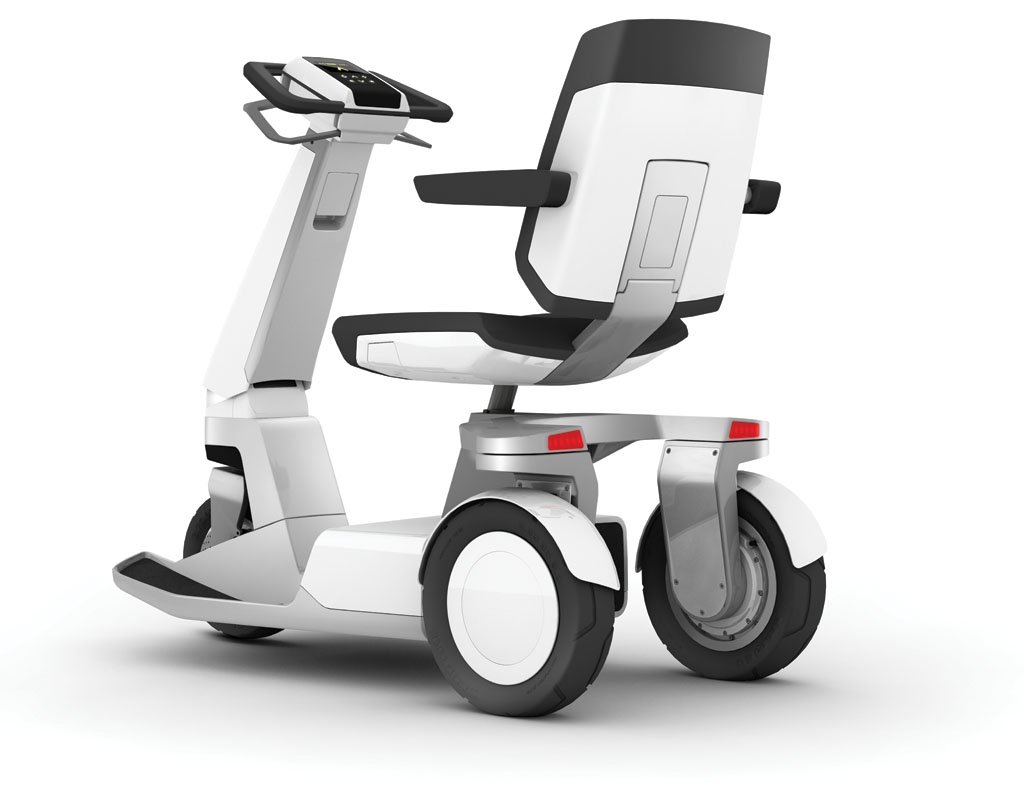
CP3 Scooter Concept Image. SOLIDWORKS to Cinema-4D via Okino's PolyTrans|CAD.
Artist: Christoph Bodensieck, © Industrial PDD & Switch Mobility.
Click on image to see full scale rendition.

Misumi IP44 Spotlight. SOLIDWORKS to Maya via PolyTrans-for-Maya.
Rendered with ArtVPS. Product Design Engineer: Stuart Wells © Astro Lighting Ltd.
Click on image to see full scale rendition.
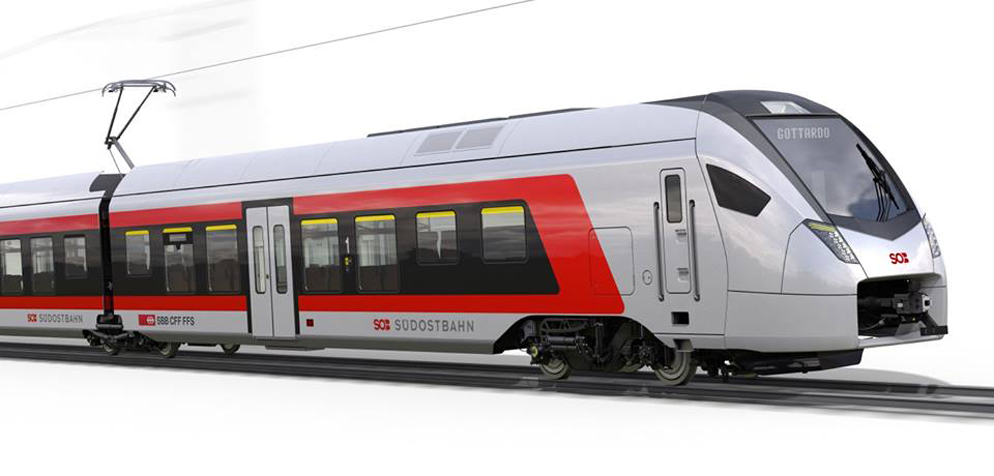



Train concept visualizations. SOLIDWORKS to Cinema-4D via Okino's PolyTrans|CAD.
© NOSE AG Design Intelligence.
Click on each image to see full scale rendition.
| Overview of the SOLIDWORKS File Converter |
Okino's PolyTrans & NuGraf, plus SOLIDWORKS CAD importer, are long term defacto standards for moving SOLIDWORKS 3D assembly data (.sldasm), parts (.sldprt) and presentation (.slddrw) asset data into all major 3D animation, VR/AR and other downstream 3D application packages. Okino's NuGraf software also provides the added functionality of a high-end rendering, viewing and scene composition of the data. The software imports crack-free geometry, hierarchy (assembly structure) and materials from native disk-based SOLIDWORKS files or from a running copy of SOLIDWORKS.
Okino has focused entirely on CAD to non-CAD (DCC, VisSim and VR/AR) conversions, optimizations and rendering solutions for the last 30 years. Our solutions are used around the world by all well known companies. Reliability, robustness and personal one-on-one developer-to-customer support have always been the fundamental basis of our business.
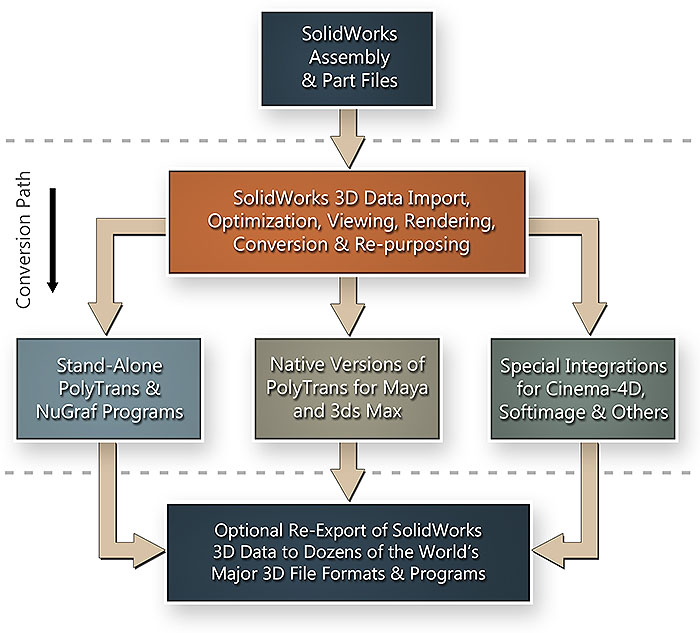
This native SOLIDWORKS CAD conversion pipeline provides great benefits to all SOLIDWORKS users (see longer benefit lists below). No longer will you be dependent upon SOLIDWORKS for 3D rendering, animation or data translation; rather, assemblies can now easily be exported through this converter pipeline to all of the most popular DCC, VisSim and VR/AR authoring plus animation systems on the market, or to Okino's NuGraf software for the viewing/composition/creation of photo-realistic imagery and 3D scene data optimization or data reduction.
Click on image to see full scale rendition
| Quick Facts About the SOLIDWORKS Converter |
Okino has built its reputation on being an open and accessible company, developing and selling software that is needed in mission + production critical environments. For those who have never heard of Okino, or of our SOLIDWORKS conversion solution, the following is some key background information and facts:
- We use the actual SOLIDWORKS source code, or connect directly into the inner core of a running copy of SOLIDWORKS, so the conversion process will always result in crack free, numerically perfect 3D models. We do not use intermediate file formats or hidden toolkits from unnamed companies. This process will work 'out of the box' for all customers, for the CAD expert or animator alike.
- Over the last 30 years Okino has pioneered the entire concept of bringing complex CAD assemblies into all downstream non-CAD programs, 3D file formats, animation systems and DCC packages, in particular 3ds Max, Maya, LightWave, and Cinema-4D. These are very refined and efficient CAD pipelines, being used by tens of thousands of our enterprise companies, production houses and 3D professional users. A typical complex CAD conversion process only takes a few minutes or less, including full scene optimizations. There is no concept of spending days or weeks 'trying' or 'struggling' to get CAD data into these programs, where no such process existed before, because this has been Okino's primary calling card and forte in the 3D industry for decades.
- The hidden magic in the conversion process is Okino's unique and proprietary CAD optimization processor, integrated into each of our CAD importers. This processor is by far the most complex aspect of our entire 3D CAD conversion software pipeline. Turn it on and it'll wrangle large and unwieldy CAD assemblies into refined datasets for efficient animation, rendering or interactive viewing.
- Okino's core philosophy over the last 30 years has been to "bring expensive CAD software to the masses, at affordable prices". A very important point for our animation users is that for 1/3rd the price of what others charge for a single SOLIDWORKS converter, Okino licenses its entire suite of industry standard, native, CAD modules in the Dual-CAD-Granite/Pack (minus native JT and CATIA). These are not reverse engineered, second rate CAD modules but rather de facto industry standard implementations, including: Autodesk Inventor, DXF/DWG (native AutoCAD), DWF-3D (ideal for AutoCAD, NavisWorks and Revit), IGES solids, Parasolid, encrypted and native ProE/Creo (licensed from PTC itself), Rhino-3D, SOLIDWORKS, Solid Edge, STEP solids, STL, XGL and X3D. Dozens more file formats are also provided in the base-level PolyTrans, as well as in the DCC/Pack license, the 'JT Open' import/export license, and the native CATIA v4 + v5 licenses.
- Okino provides free, quick and highly educated support for its software direct from the main management team and senior developers, and not from online forums or untrained front-line tech support people. We know CAD conversion. Unlike faceless companies where support may be non-existent, we personally know tens of thousands of our customers by first name, email address and company background.
| Major Benefits of the SOLIDWORKS Importer to Okino Customers |
- Import complete assemblies from a live running copy of SOLIDWORKS, or from native SOLIDWORKS .sldasm, .sldprt and .slddrw files on disk (no locally installed copy of SOLIDWORKS required for this latter feature).
-
 SOLIDWORKS assemblies can also be imported directly into Maya (using the PolyTrans-for-Maya native plug-in system) or directly
into 3ds Max (using the PolyTrans-for-3dsMax native plug-in
system). The native PolyTrans plug-in systems for 3ds Max and Maya have been refined
specifically for importing large CAD assembly models from SOLIDWORKS. This has come about partly from our good software users, and also from the main Okino CAD programmers who have been specializing in CAD to non-CAD conversion software since 1988.
SOLIDWORKS assemblies can also be imported directly into Maya (using the PolyTrans-for-Maya native plug-in system) or directly
into 3ds Max (using the PolyTrans-for-3dsMax native plug-in
system). The native PolyTrans plug-in systems for 3ds Max and Maya have been refined
specifically for importing large CAD assembly models from SOLIDWORKS. This has come about partly from our good software users, and also from the main Okino CAD programmers who have been specializing in CAD to non-CAD conversion software since 1988.
- Conversion and down-sizing of complex SolidWorks CAD assemblies into Virtual Reality (VR) and Augmented Reality (AR) applications such as Unity
and Unreal Engine. Provides
extreme compression of SolidWorks CAD datasets into light weight models for visualization with Microsoft HoloLens, HTC VIVE, Oculus Rift, Meta and other forthcoming VR headsets.
-
 Okino's "CAD Scene and Hierarchy Optimization System" has been integrated right into the SOLIDWORKS importer. This is most important when importing large CAD models into 3ds Max, Maya, Cinema-4D or
LightWave. These animation packages can have performance problems when the source CAD model is large, and/or has a large
number of individual parts (which is often the case with the BREP model topology of data provided by SOLIDWORKS).
Okino's "CAD Scene and Hierarchy Optimization System" has been integrated right into the SOLIDWORKS importer. This is most important when importing large CAD models into 3ds Max, Maya, Cinema-4D or
LightWave. These animation packages can have performance problems when the source CAD model is large, and/or has a large
number of individual parts (which is often the case with the BREP model topology of data provided by SOLIDWORKS).
- The quality of the model (the number of polygons) can be controlled when importing
from SOLIDWORKS, as well as a choice of whether to import
or create new normals and uv texture coordinates, in addition to be being able to
automatically set the model's units scaling size. While not often needed for SOLIDWORKS files,
you can also invoke the Okino polygon reduction system
to easily and quickly downsize a CAD model.
-
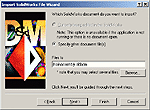 Developed by some of the most experienced Okino CAD import developers where quality, robustness and completeness has set apart our converters from all others. Our multi-step wizard provides complete control over the import process, and we have adhered to the strictest of SOLIDWORKS API usage and guidelines.
-
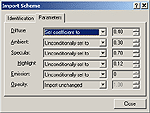 Complete control over material parameter modification on an automatic basis. Many CAD systems like SOLIDWORKS have basic material parameters (like color, ambient + diffuse shading coefficients, opacity, etc) but when they are transferred over to a rendering and animation system they often look "too bright" or "highly ambient". This can be expected and is quite normal. The material tweak parameters easily allow such saturated shading values to be automatically compensated.
- Given the recent hyperbolic increase in interest for CAD to VR (virtual reality) and AR (augmented reality), Okino's software is ideally
suited for severe CAD model reduction for efficient viewing in all current and near future head mounted
VR/AR devices using such software as Unity or the Unreal Engine. Okino has been directly and indirectly involved with VR since 1991
when Alias Research in Toronto first started to pursue this market.
- The ability to quickly transfer assembly data into Okinos' NuGraf product for interactive scene manipulation, real-time OpenGL shaded views and object manipulation, complex material assignment, 2D bitmap and 3D procedural texture assignment, and rendering by Okino's stable, proven and fast scanline or multi-threaded ray tracing renderers. Once inside NuGraf (or PolyTrans), the data can be easily re-exported to any of the supported Okino 3D file formats.
| Additional Features & Benefits of the SOLIDWORKS Converter |
If you choose to import the SOLIDWORKS data into the stand-alone NuGraf and PolyTrans software packages, and not into 3ds Max, Maya, Cinema-4D, LightWave or other packages, then the following benefits are also gained by SOLIDWORKS users:
 NuGraf is one of the most developed rendering, visualization and data translation package for SOLIDWORKS CAD users since its inception by Okino in 1988, with a continual focus on efficient import and display of large assemblies. Our software is constantly in use by thousands of the most well known companies around the world, as listed on our users WEB page.
- If one part is instantiated N times in the SOLIDWORKS assembly tree then this importer will recognize such a situation and use Okino's core database master/instance capability to import the part just once and instantiate it N times. This feature can be disabled so that assembly-level part modifications within SOLIDWORKS (and using the automation import mode) can be imported, such as per-instance colors and feature changes (such as per-part hole cuts).
-
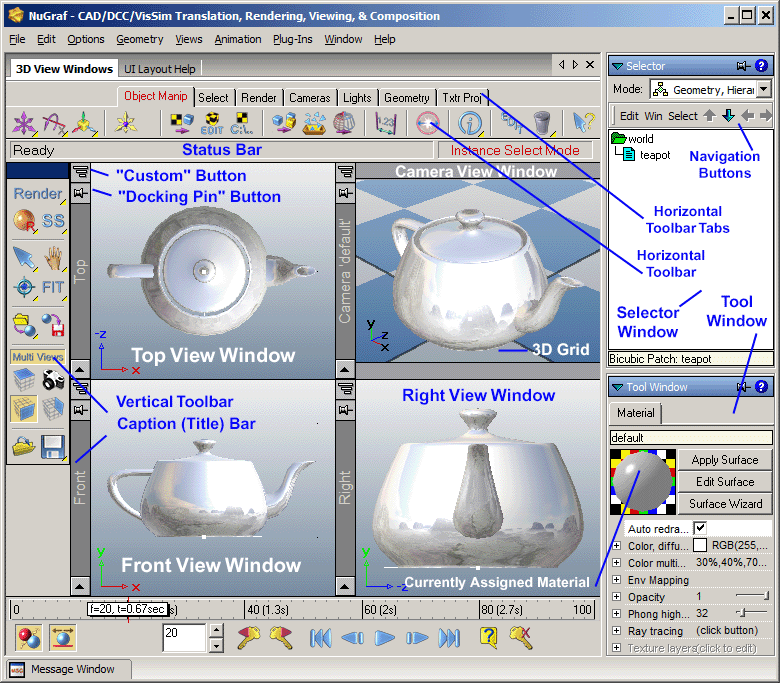 "CAD-like" user interface with 4 view top/front/right/camera view windows makes learning NuGraf or PolyTrans a trivial matter for most SOLIDWORKS users. It is often said by our users that "I never had to read into the manuals. I was using the program within 5 minutes of installing it". Common tools such as pan, zoom, orbit, dolly, tilt, zoom extents and 'center on selected objects' are not more than a button push away (they are accessible by pressing the window caption bars).
- Automatic scene refresh via tight "data associativity" between the imported dataset in NuGraf/PolyTrans and the original SOLIDWORKS scene data. The Okino SOLIDWORKS "wizard" will allow the current scene to be refreshed with SOLIDWORKS files on disk or from the current live running copy of SOLIDWORKS. Geometry, hierarchy and materials can be refreshed.
- Importing from SOLIDWORKS is as simple as "File/Import/SOLIDWORKS", then the selection of one or more options from our friendly "SOLIDWORKS Importer Wizard". Beginners can use the default options, whereas experts have access to a good number of data processing and optimization options.
-
 Fast and efficient multi-CPU ray tracing or scanline rendering of the largest datasets with raster output up to 8k x 8k. Our renderers have been absolutely stable and bug free for close to a decade. Okino's name and products have always been synonymous with "fast and efficient rendering of CAD data" as this has been the underpinning of our company products since 1988, and also to our OEM vendors to whom our rendering technology has been licensed for other products. A wide selection of Okino and customer generated imagery can be viewed online here.
- And since Okino developers are ardent users of their own software (for picking apart 3D models while debugging our long list of custom written 3D converters), we have added a wealth of dialog boxes and data access + manipulation routines to the software over a period of 20 years or more. For the expert user, you will be pleased to find many dialog boxes filled with interesting and usable options, such as the "Instance Attributes" editor which provides direct access to all aspects of each model in the scene. Beginners can feel comfortable with the fact that all dialog boxes default to "sane" values at all times.
-
 The number of features would fill an 8 page brochure, and indeed they do in the full color PDF brochure viewable on the Okino WEB site. You will find Okino software is the most feature packaged data translation, optimization and rendering solution for SOLIDWORKS users based on the sheer amount of development that has been invested in the Okino software since 1988.
- After import from SOLIDWORKS the dataset can be processed with a set of data processing toolsets that can perform intelligent polygon reduction, welding, automatic normal flipping, merging triangles back to N-sided polygons (or quads), re-smoothing and correction of vertex normals, and more.
- And Okino's NuGraf includes all the PolyTrans converters, so for no additional cost NuGraf can re-export SOLIDWORKS datasets to all major 3D file formats, animation packages, VisSim & AR/VR programs and WEB streaming file formats.
| The SOLIDWORKS to Okino Software Data Conversion Process |
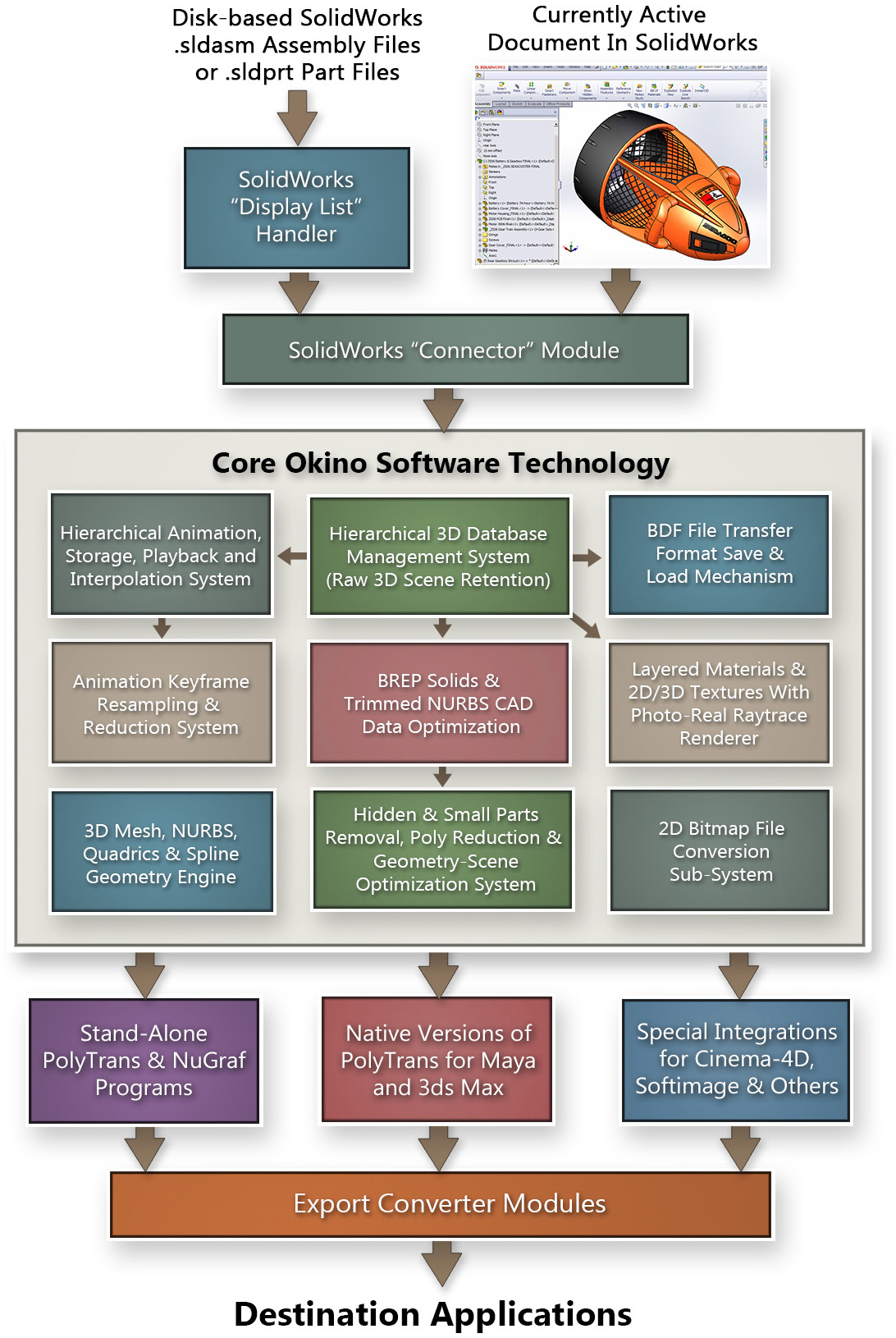
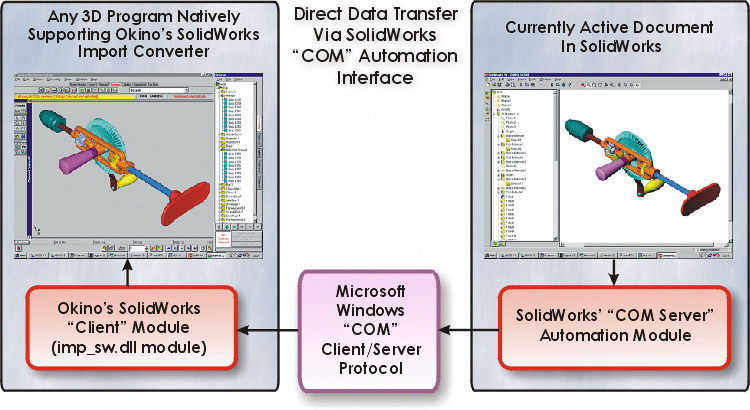
When importing part or assembly data from a live running copy of SOLIDWORKS, the data is transferred from SOLIDWORKS to the Okino side of the pipeline using the SOLIDWORKS "COM Automation Server Interface". This is an exposed set of functions which SOLIDWORKS "publishes" to the outside world. Okino's SOLIDWORKS importer queries all the part, assembly and material data from the running copy of SOLIDWORKS using this COM interface.Such a pipeline is exemplified in this diagram:
Click on image to see full scale rendition.
In this diagram, an Okino compliant software package (such as NuGraf, PolyTrans, 3ds Max or Maya), on the left side, has asked Microsoft Windows to open up the application which "understands" SOLIDWORKS data files. Windows then executes SOLIDWORKS, the application on the right side above, and loads in the specified SOLIDWORKS data file. Using Microsoft "COM" technology, the Okino application on the left side (the "client") obtains direct access to the internal routines and data of SOLIDWORKS on the right side (the data "server"), as if the two programs were running as one. Object mesh data, hierarchy and materials are then directly transferred to the Okino application for subsequent rendering or further data translation. Once the conversion has taken place the connection is closed and SOLIDWORKS is allowed to exit.
| Importer Wizard Panels of the SOLIDWORKS Converter |
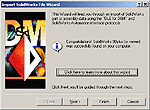
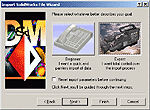
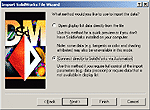
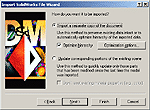
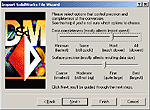
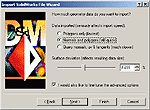
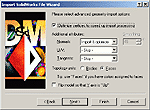
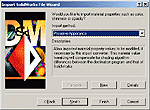
The following are the 9 panels which comprise Okino's SOLIDWORKS importer. Full online documentation for each of these panels can be read here.
| Intro Panel | Data Source Selection |
 |
|
| Expert/Beginner Mode | Display-List/Automation |
 |
 |
| New/Update Scene | Beginner Precision |
 |
 |
| Expert Precision | Expert Precision # 2 |
 |
 |
| Material Import | Material Tweaks |
 |
|
| Errors, Statistics & Scaling | |
|
| Demo Download of the SOLIDWORKS Converter |
Please visit the Okino demo download page and download the unified PolyTrans/NuGraf installer.
The demo version also includes the components to import/export Cinema-4D native files within the stand-alone Okino software. You will also want to install any optional components that are listed on the demo download page such as the PolyTrans-for-3dsMax and PolyTrans-for-Maya plug-in systems, and the JT import/export modules (if needed).
If you have any trouble downloading the demo version, or have any questions, please email support@okino.com.
| Ordering |
Various configurations of Okino software exist, of which almost every sale since 1996 will include the CAD/Pack or Granite/Pack modules. Common choices for SOLIDWORKS users would be:
- PolyTrans (PT-WIN, US$395) and CAD/Pack (US$245) if you wish to import SOLIDWORKS assembly data into Okino's PolyTrans for data optimization, reduction and data re-export to all major 3D file formats, including such popular destinations as 3ds Max and Cinema-4D.
- PolyTrans (PT-WIN, US$395) and Dual-DCC-CAD/Pack (US$395) if you wish to import into Maya using native SOLIDWORKS data.
- NuGraf (NRS-WIN, US$495) and CAD/Pack (US$245) if you wish to import SOLIDWORKS assembly data into Okino's NuGraf for rendering, data optimization, reduction and data re-export to all major 3D file formats.
Statistically, the most common and purchased configuration of Okino software would be PolyTrans + Dual-CAD-Granite/Pack.
Okino software can be ordered online or directly by email/phone/fax ordering.