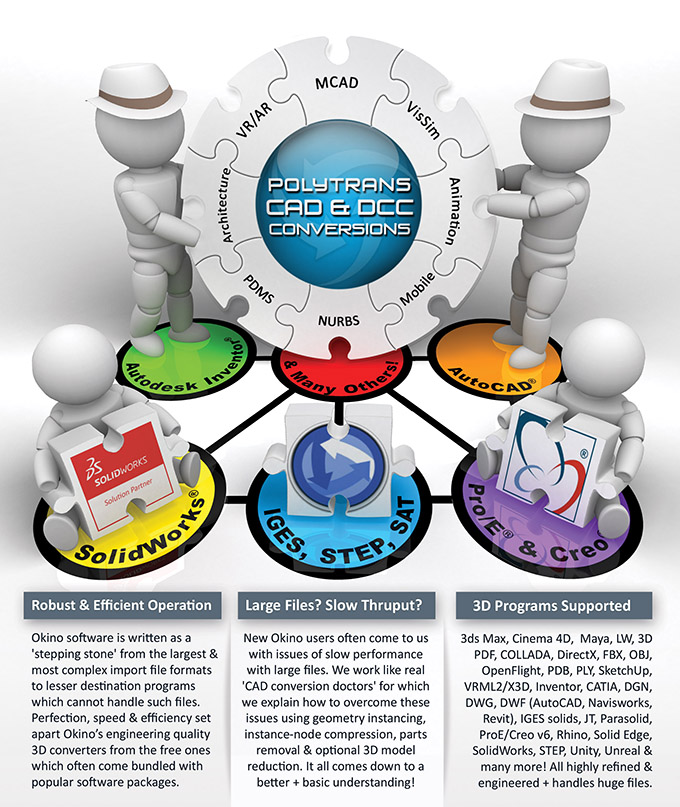
A more detailed overview of the PolyTrans feature set can
be found in the online PDF brochure.
 An Executive Overview An Executive Overview |
|
The PolyTrans|CAD+DCC Translation System is the most extensive and numerically accurate 3D CAD,
DCC/animation, VR/AR and scene translation/viewing/rendering/publishing system used throughout the 3D industry.
It has been written over hundreds of man years by highly educated engineering scientists & mathematicians whose focus is purely on the mathematical aspects
of the conversion process.
|
|
PolyTrans has set the standard for conversion technology over
the last three decades, being used as the tool of choice for all well known Fortune 25 to 500 corporations, engineering and
manufacturing companies, defence agencies, industrial design studios, movie/film/production/digital-effect studios and 3D game + VR/AR developmers.
Using PolyTrans you'll never again have to spend hours hand-tweaking or 'fixing up' a translated model. Just load the translated model into your favorite 3D
program and start your production work - nothing could be simpler. More times than not, the lives of our new 3D production users are changed completely by the introduction
of this software into their conversion pipelines. PolyTrans also provides the most cost effective and highest quality selection of native CAD importers, with no need for a native CAD program license.
|
 Click for full brochure.
|
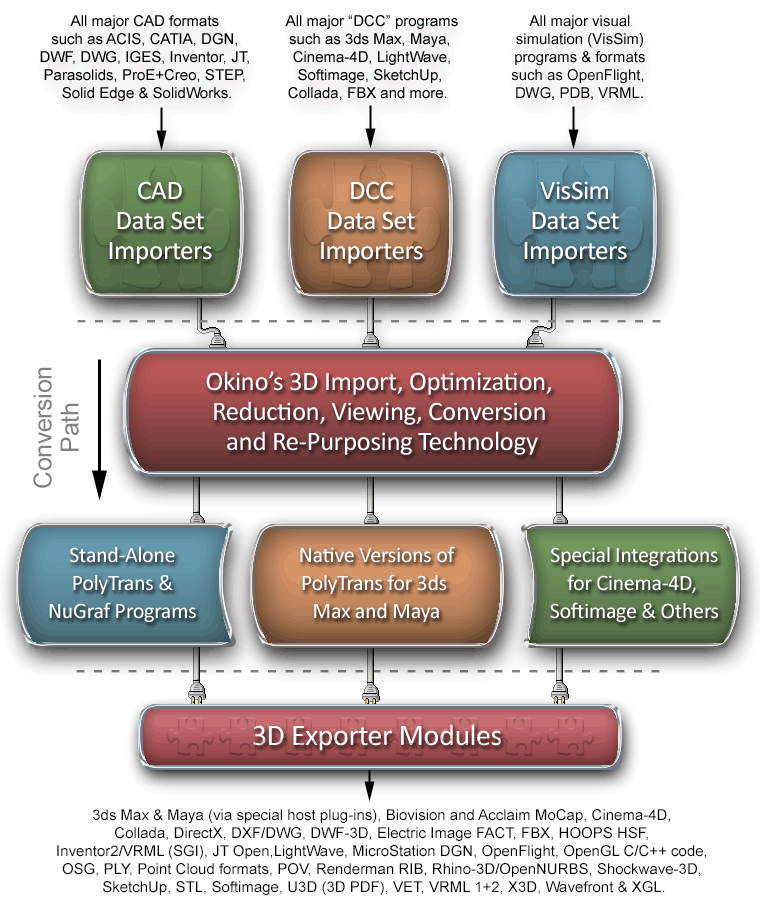
PolyTrans is unique as a translation tool since it utilizes an
advanced Okino-developed 3D engine and 3D geometry toolkit,
a half-dozen high-end MCAD NURBS toolkits and an extensive Okino-developed animation conversion engine
to perform complex translations between the most popular 3D file format standards.
These geometry engines allow PolyTrans to translate between a wide variety of geometry types including
optimized meshed polygons with recursive holes, random collections of polygons, trimmed NURBS surfaces,
bicubic patches and quadric surfaces (super-ellipsoids, sphere, toroids, etc), all varieties of 3D
curve types (NURBS, cubic splines and linear splines), 3D poly-lines and 3D point clouds. The animation conversion
engine allows PolyTrans to link together animation programs or file format which use completely different animation mathematics, such
as 3ds Max, Cinema-4D, Maya, LightWave, Collada, DirectX, FBX, U3D, XAML, X3D/VRML2 and others.
|
One such Okino engine is utilized to preserve all rendering-related information during file translation, including geometry smoothing (normals),
bump mapping (U/V tangents), (u,v) texture coordinates, vertex colors and vertex opacity/transparency data, where applicable. The geometry engine is also used internally
to perform exact translation of all texture mapping information, including bitmap filenames, scaling, offsetting and all texture projection methods. When combined with its
ability to convert all material information, lights, cameras and geometry
hierarchy, PolyTrans is truly the most unique 3d data translation program currently
available. It can be equated to a real human doctor who has seen 10's of thousands of patients for 30 years, for which that doctor can offer immediate, expert and highly reliable 'solutions' + advice.
|
Click for larger image.
|
|
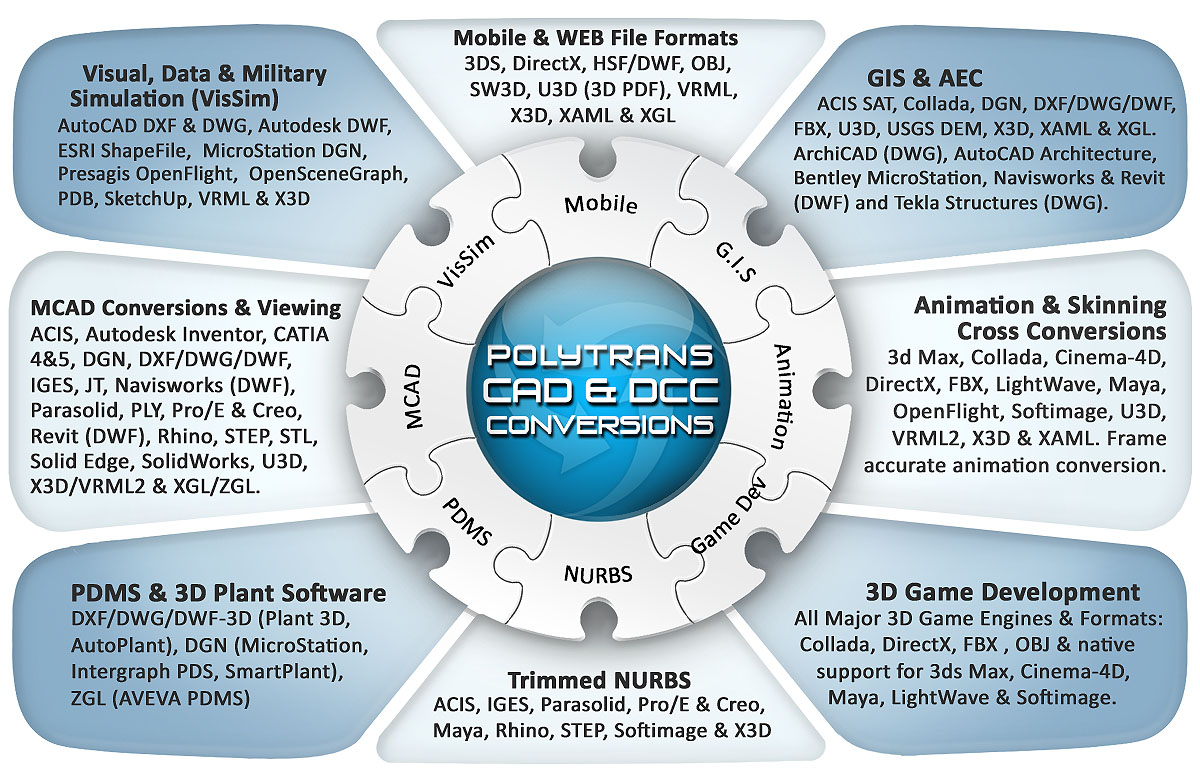
One of the key uses of PolyTrans is to act as a "neutral bridge" between all
the major software applications used in the various 3D software industries.
As the radial diagram on the left exemplifies (click for larger image), previously
disjoint applications can now be easily connected, such as any major 3D CAD package,
VisSim program, VR & AR (virtual and augmented reality) programs such as Unity or the Unreal engine,
AEC & GIS packages, etc. with more common and widely used multi-media
authoring packages (3ds Max, Cinema-4D, Maya, LightWave, Abobe Acrobat, NGRAIN, etc).
|
Click for larger image.
|
|
A most important aspect for those who are new to PolyTrans, and its capabilities,
is to understand that this software is used daily by a huge user base of 3D professionals, covering
such varied groups as engineering, aerospace, automotive, manufacturing, government, military,
production studios, digital effects houses, animation studios, 3D
content developers and most major 3D game & VR/AR development companies.
As such, it is heavily tested by our established
user base. In addition it is very well supported and maintained by the developers of
PolyTrans at Okino.
|
Click for larger image.
|
|
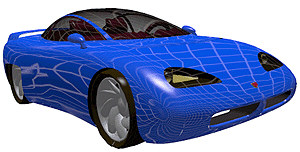
The open plug-in architecture of PolyTrans and NuGraf provide for a number of add-in modules, including a robust
polygon reduction system
(which is best suited for reducing large CAD models to more sane data sizes), a
multi-media image editor & viewer, a full featured lens flare system and editor,
a perspective matching system, and a sunlight studies plug-in system. Some modules
are specific to NuGraf only.
|
Click to show CDRS car before
and after 80% polygon reduction
|
|
PolyTrans-for-3ds-Max and PolyTrans-for-Maya are specialized plug-in versions of the PolyTrans converter
technology that run natively and directly inside the 3ds Max and Maya user interfaces. These are highly developed
and refined versions of PolyTrans favored and used all throughout the 3D industry. They allow all of the supported
PolyTrans DCC, CAD and VisSim file formats to be imported/exported from within 3ds Max or Maya. Over the last 2 decades
they have been refined as mirror twins of each other so that complete scene data, animation data and
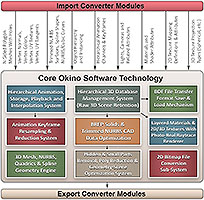
skeleton/skinning data can also be bidirectionally converted between 3ds Max and Maya using the Okino .bdf file format (click
on the image to the right to view a flow chart diagram outlining this conversion process). Equally important to our user
base is the similar PolyTrans for Cinema-4D conversion system. These modules are now primarily used as the defacto
CAD to 3ds Max, Maya and Cinema-4D conversion systems.
|
![[MAX and Maya data exchange]](/conv/pt4max_maya_block_200.gif)
Click for larger image.
|
|
PolyTrans is built upon an open architecture plug-in platform that
has been stable, rock-solid and mature for well over 2.5 decades. Third party developers are welcome to develop new
3D import/export converter modules or system plug-in modules for Okino software at no charge. As a software developer
you will find the SDK and example source code to be top notch and well supported. The Okino converter SDK encapsulates
a plethora of "conversion engines" that you enable through toggle switches in a custom export converter; this allows
any form of source data (from meshes, NURBS surfaces and curves, skinned meshes, etc) to be handled by a custom
exporter with no extra code required. A high level user interface SDK (part of the system plug-in interface) allows
Windows components and modules to be easily and seamlessly incorporated into the main user interface.
|

|
|
'Circular puzzle diagram' registered trademark owners: 'AutoCAD' & 'Inventor' of Autodesk,
'DSS' & 'SolidWorks' of Dassault Systemes, and Pro/E & Creo of PTC.
(Okino is a registered solutions provider to each of these aforementioned companies).
| 







![[MAX and Maya data exchange]](/conv/pt4max_maya_block.gif)